This release makes the cost of AI work visible, gives account owners control over leaving, and makes applying and following up simpler for candidates.
AI Credits is the main addition. Every piece of work the AI does for your team — reviewing a CV, writing assessment questions, answering in the assistant, running a live interview — is now measured and charged to your workspace's credit balance. A new Credits page in Settings shows what you have left, what it was spent on, who spent it and which AI model did the work. Every new workspace starts with free trial credit, enough to screen candidates and run a live AI interview before deciding anything.
Candidates are never blocked by your balance. Applying, sitting an assessment and joining an interview all keep working even when your credit runs out. What pauses is the AI work on your side, and you are told before that happens rather than after.
Account owners can now delete their account themselves. The request is confirmed with your password and held for 30 days, during which you can change your mind and restore everything. After that the company and all of its data are removed for good.
For candidates, two changes. The application form now fills itself in from the CV they upload, with every prefilled field marked and still editable. And the tracking link in their confirmation email now opens every application they have made to your company, not just one.
See what the AI costs, and what it was spent on
The AI does a great deal of work in Truepick: reviewing every CV, writing job posts, assessment and interview questions, comparing applicants, answering in the assistant, and running live video interviews. Until now none of it was measured, so there was no way to see what a hiring round actually cost or where the effort went.
Every AI action is now measured and charged to your workspace's credit balance, as it happens.
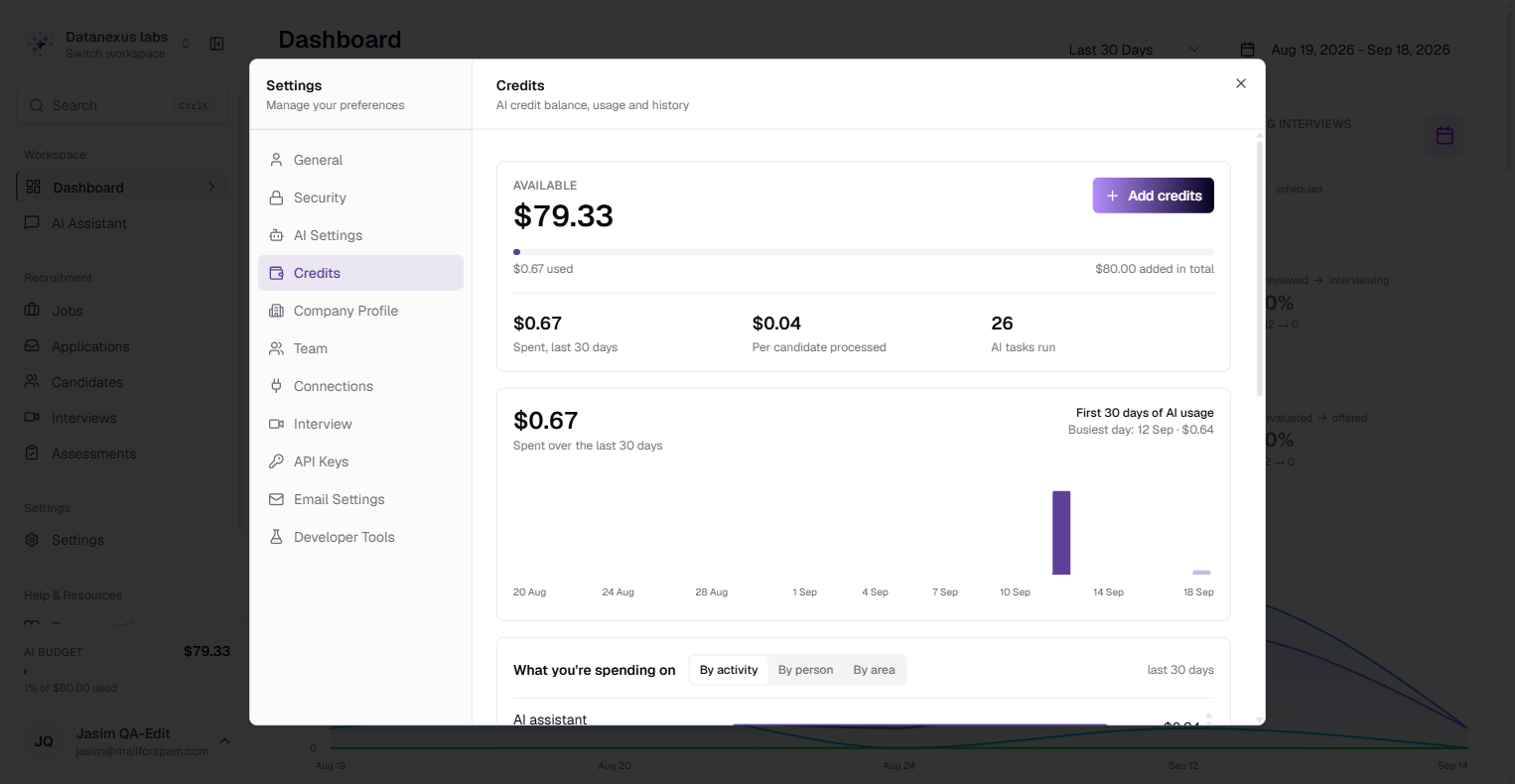
The Credits page lives in Settings → Credits and answers three questions.
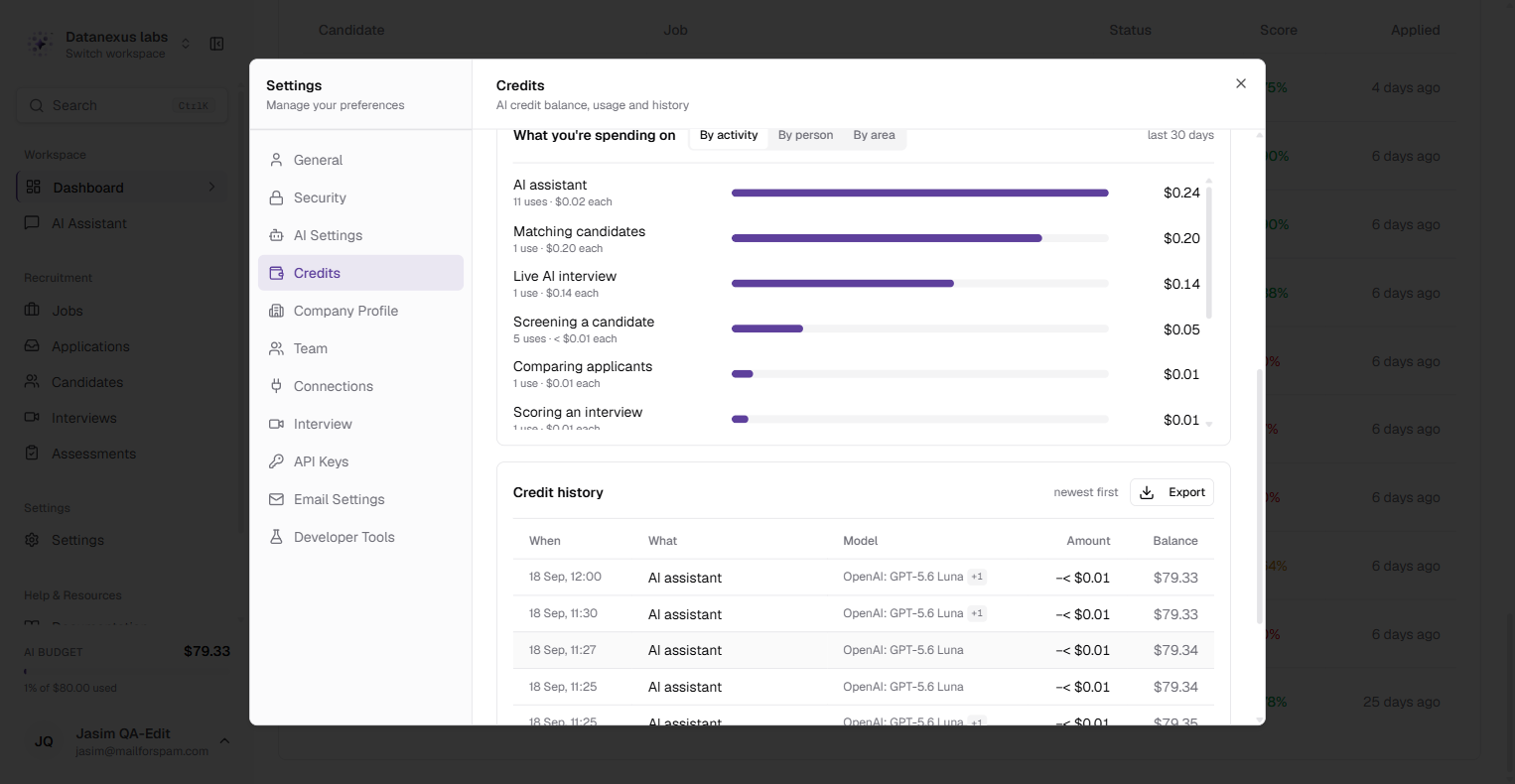
Credit history lists every movement, newest first — free trial credit, credits added, and each piece of AI usage — with the running balance after each one.
See which model did the work. The history now has a Model column. Many lines are a single call to a single model, and show its name. Some are a whole process: one live interview uses speech recognition, a conversation model, a voice and a video avatar together. Those lines name the model that cost the most, with a +3 beside it; hover or tab to it for the full list. The CSV export lists every model on every line, which is what you need when checking against an invoice.
Adding credit. Use Add credits on the same page. For now the credit is added straight away and no payment is taken.
Told in time, and candidates are never the ones who pay for it
You are warned before you run out. When the balance drops low, a notice tells you how much is left and asks you to add credit before screening and interviews stop.
What pauses, and what does not. When credit runs out, the AI work on your side pauses: AI screening, interviews and replies from the assistant. Nothing that has already run is lost, and candidates are not affected at all — they can still apply, sit an assessment and join an interview. Your balance is not their problem.
Work is refused before it starts, never halfway through.
If an interview that had already started runs past your balance, it finishes normally. The difference shows as an amount owing and comes off your next top-up.
Your decision, with 30 days to change your mind
Account owners can now close their account themselves, from Settings → Profile → Danger zone, without contacting us.
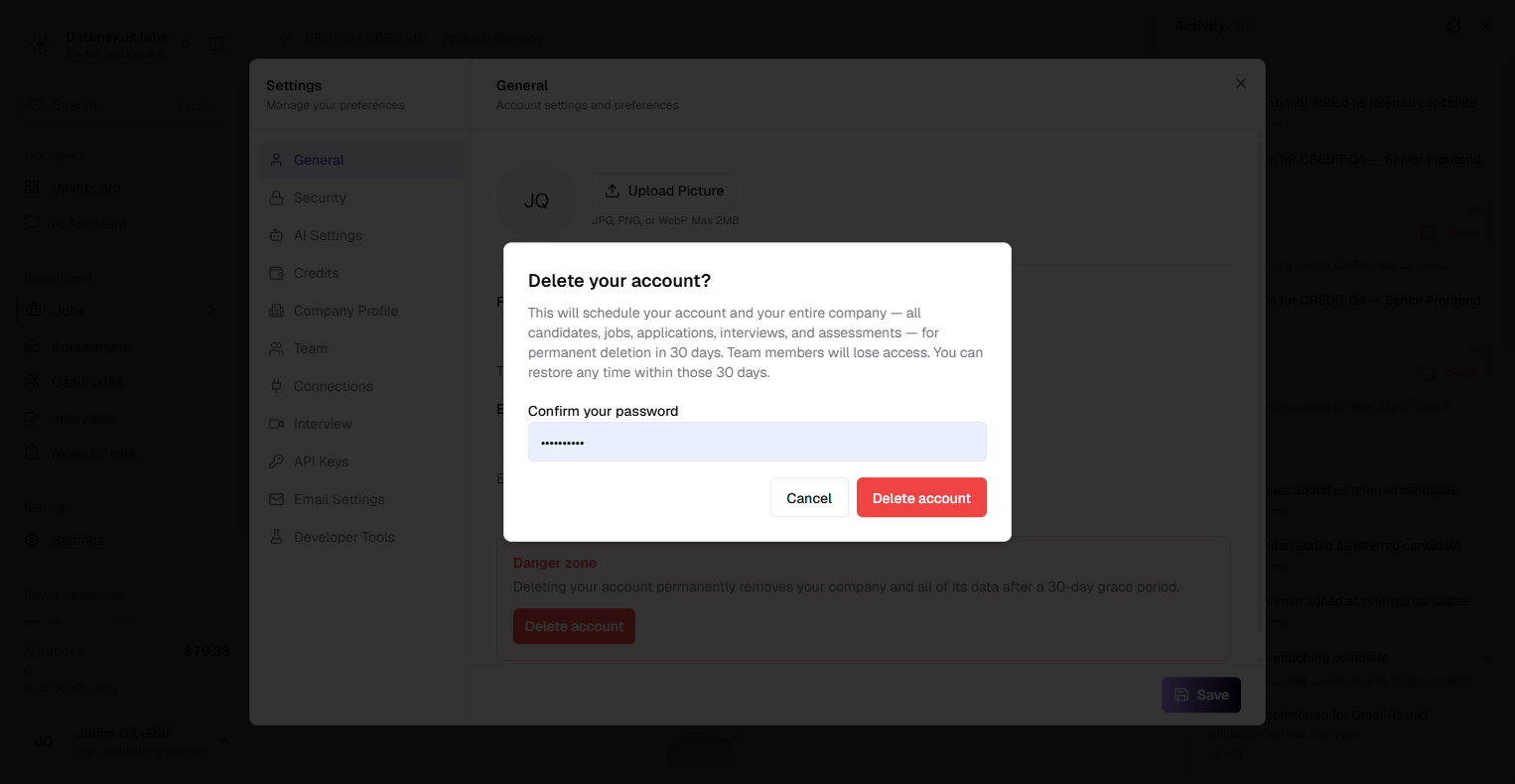
Deleting an account is serious, so the process is built to make mistakes recoverable:
A team member who was invited to a company, rather than owning it, removes only their own account. The company carries on.
The form fills itself in from the CV
The public application form used to ask candidates to type out details that were already sitting in the CV they had just attached.
Now, as soon as a CV is uploaded, the form reads it — "Reading your CV…" — and fills in the name, email and phone number, and suggests skills that match the ones listed on the job. Each prefilled field carries a From your CV badge.
The autofill only ever makes a suggestion:
The CV is read in the candidate's own browser. It is not sent to an AI before they have agreed to apply; the full analysis still runs after they submit, exactly as it did before.
A candidate's tracking link now opens everything they have applied for at your company
The link in a candidate's confirmation email used to open a single application. A candidate who applied for three of your roles had three emails, three links and no single place to see where they stood.
The same link now opens every application that candidate has made to your company, as a table showing each role and its current status. View details opens the full timeline for any one of them, which is what the link used to show on its own.
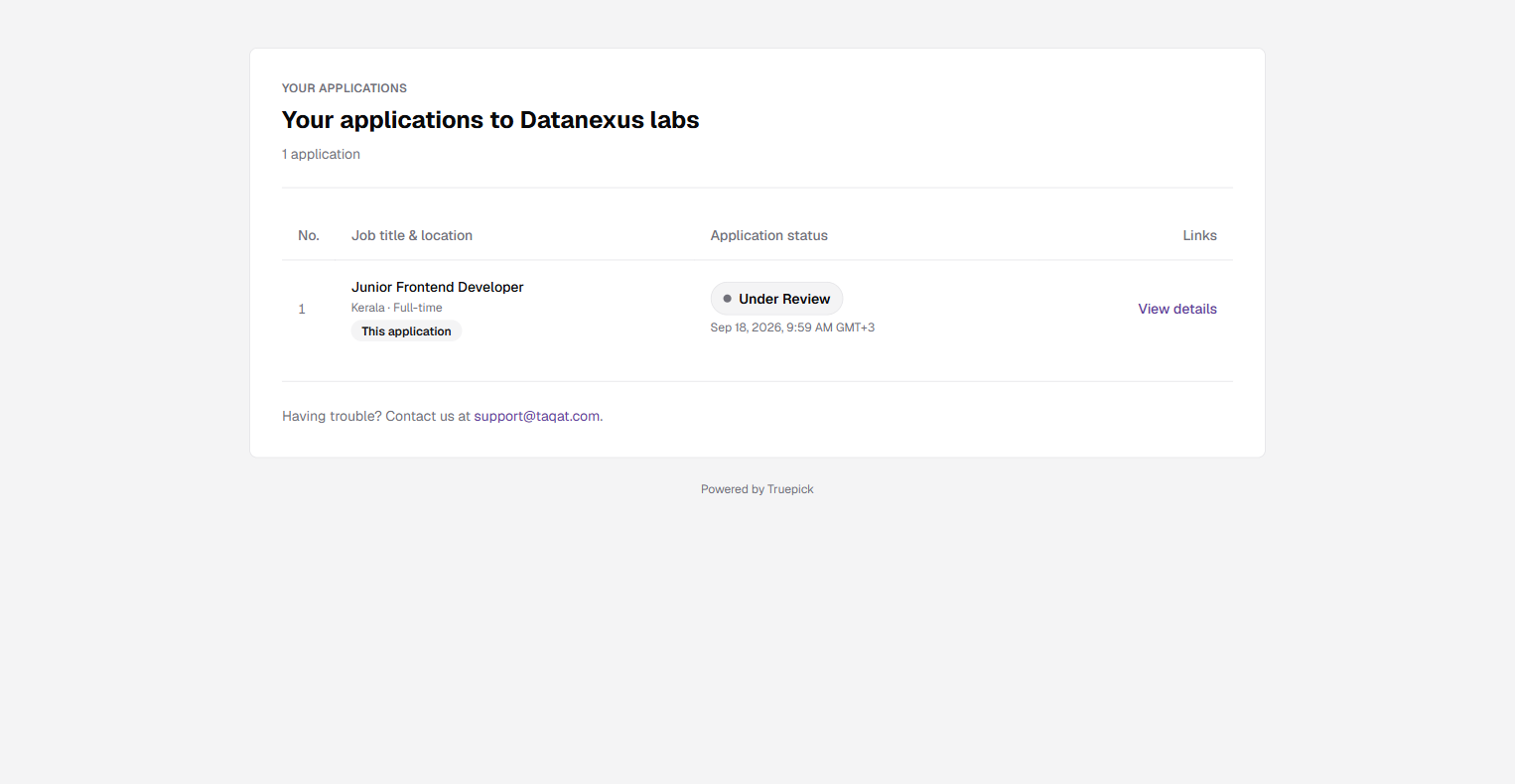
Tracking links are now only ever sent by email. Previously, re-applying with an email address that had already applied showed that application's tracking link on screen. Because a link now opens a candidate's whole history with your company, it is only ever delivered to the candidate's own inbox, and the screen says it has been emailed.
Every candidate gets a confirmation email. Applications made through the Public API created the application but never told the candidate. They now receive the same confirmation email as everyone else, and no candidate receives it twice. The confirmation screen also shows which address it went to, so a mistyped email is noticed while it is still easy to fix.
Released on September 12, 2026
View all releases