Release Notes - Beta v0.7.1
Summary
This release introduces powerful job sharing and embedding capabilities, enhanced chat functionality with history, interview meeting link generation, custom assessment expiry options, and job editing features. Users can now share jobs publicly, embed job listings on external websites, manage conversations through chat history, and generate meeting links directly from the interview form.
What's New
- Job iframe embedding for external websites
- Job list embedding for career pages
- Public job sharing via shareable links
- Chat history with conversation search
- Interview meeting link generation with platform integration
- Custom assessment expiry date selection
- Job editing from list and details pages
Job Iframe Embedding
Embed Jobs on External Websites
Enable job details page to be embedded via iframe on external websites. An "Embed Job" button is available on job details page, allowing users to generate embeddable code for seamless integration.
Features:
- Embed Button: Accessible from job details page
- Code Generation: Automatic iframe code generation
- Copy to Clipboard: One-click copy of embed code
- Responsive Embed: Iframe adapts to container size
- External Integration: Embed on company career pages or partner sites
How It Works:
1. Navigate to Job Details page
2. Click the "Embed Job" button
3. Copy the generated iframe code
4. Paste the code into your external website HTML
5. Job listing appears embedded on your site
Embed Code Example:
<iframe
  src="https://ats-dev.no-downtime.com/job-list/e6726cdb-c9ba-4668-b945-6ccd9d4e05a8"
  width="100%"
  height="600px"
  frameborder="0"
  style="border-radius: 8px; box-shadow: 0 2px 10px rgba(0,0,0,0.1);"
  title="Job Details">
</iframe>
Benefits:
- Extend job visibility beyond the platform
- Seamless integration with company websites
- Consistent job display across channels
- No manual content duplication
- Real-time job updates on embedded pages
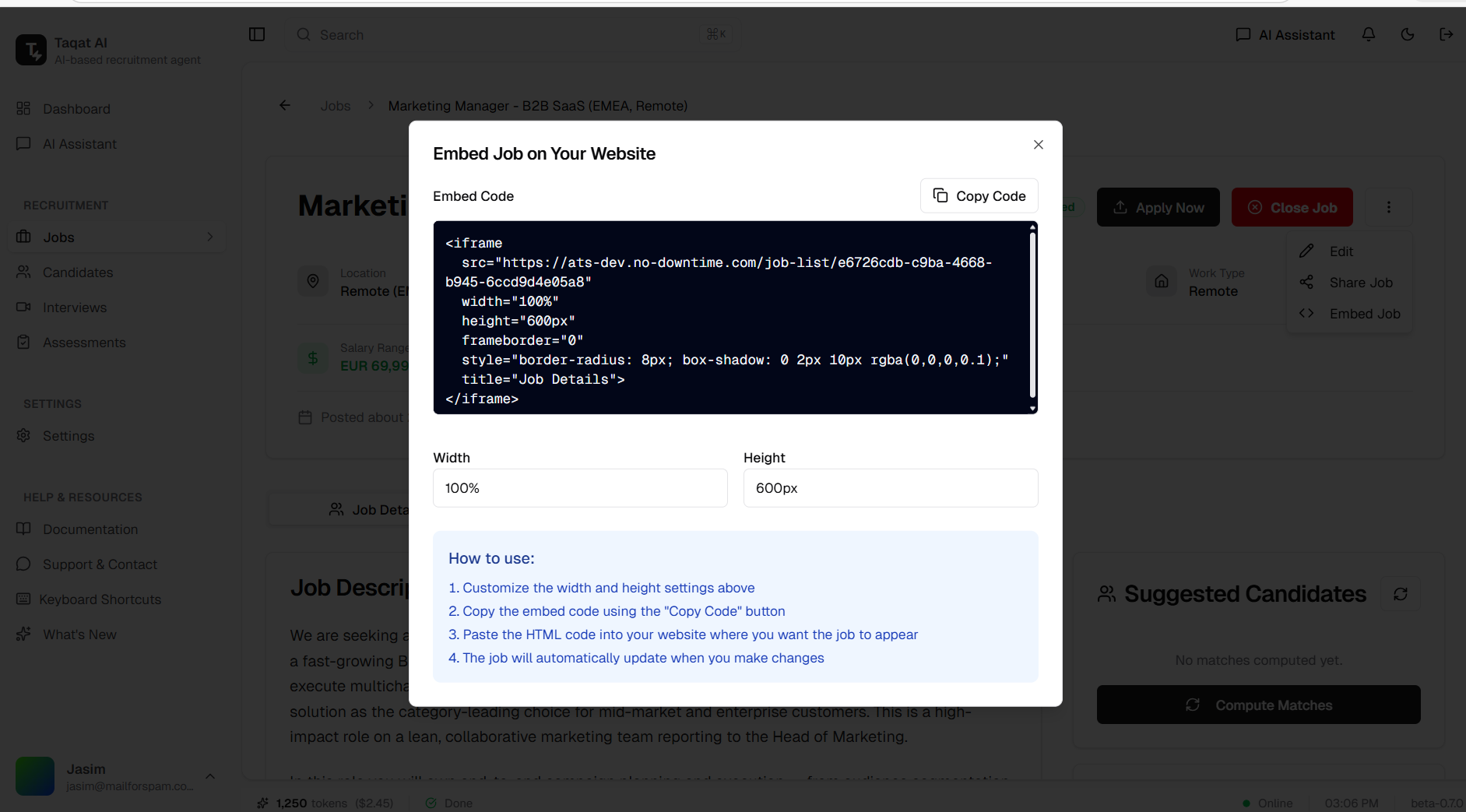
Embed Job button on job details page with generated iframe code
Job List Embedding
Embed Complete Job Listings on Career Pages
Embed your entire job listings on external websites with a single iframe. Access the "Embed Jobs" button directly from the Job Postings page to generate embeddable code that displays all your active job postings.
Features:
- Embed Jobs Button: Accessible from Job Postings page header
- Customizable Dimensions: Adjust width and height to fit your layout
- Complete Job List: Displays all active job postings in one embed
- Copy to Clipboard: One-click copy of embed code
- Responsive Design: Adapts to container with customizable dimensions
- Auto-Updates: Job listings update automatically when you make changes
How It Works:
1. Navigate to Job Postings page
2. Click the "Embed Jobs" button in the header
3. Customize width and height settings as needed
4. Copy the generated iframe code using "Copy Code" button
5. Paste the HTML code into your website where you want job listings to appear
Embed Code Example:
<iframe
  src="https://your-domain.com/job-list"
  width="100%"
  height="600px"
  frameborder="0"
  style="border-radius: 8px; box-shadow: 0 2px 10px rgba(0,0,0,0.1);"
  title="Job Listings">
</iframe>
How to Use:
1. Customize the width and height settings above
2. Copy the embed code using the "Copy Code" button
3. Paste the HTML code into your website where you want the job listings to appear
4. The job listings will automatically update when you make changes
Benefits:
- Create career pages with complete job listings
- Single embed for all job postings
- No manual updates required when jobs change
- Professional appearance with built-in styling
- Seamless integration with company websites
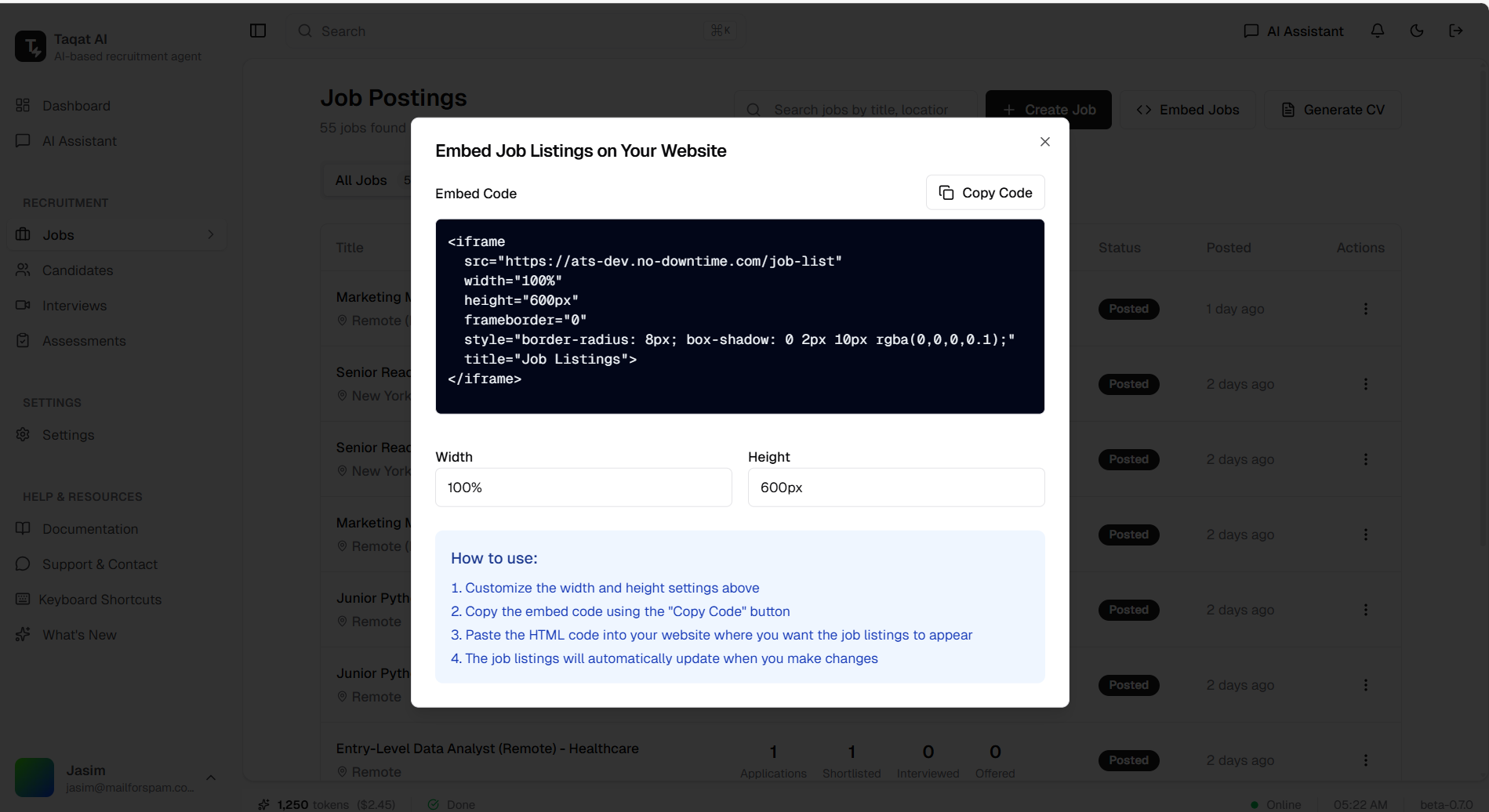
Embed Jobs button on Job Postings page with customizable iframe code
Public Job Sharing
Share Jobs via Public URL
Share jobs publicly via a unique URL, allowing candidates to view and apply directly through the shared link without authentication.
Features:
- Share Button: Easily accessible on job details page
- Unique Public URL: Generate shareable link for each job
- No Authentication Required: Candidates can view without login
- Direct Application: Apply directly through the shared link
- Social Sharing: Share on social media platforms
How It Works:
1. Navigate to Job Details page
2. Click the "Share" button
3. Copy the generated public URL
4. Share the link via email, social media, or any channel
5. Candidates can view job and apply directly
Benefits:
- Wider job reach and visibility
- Simplified candidate application process
- Easy sharing across multiple channels
- No barriers for candidate access
- Track applications from shared links
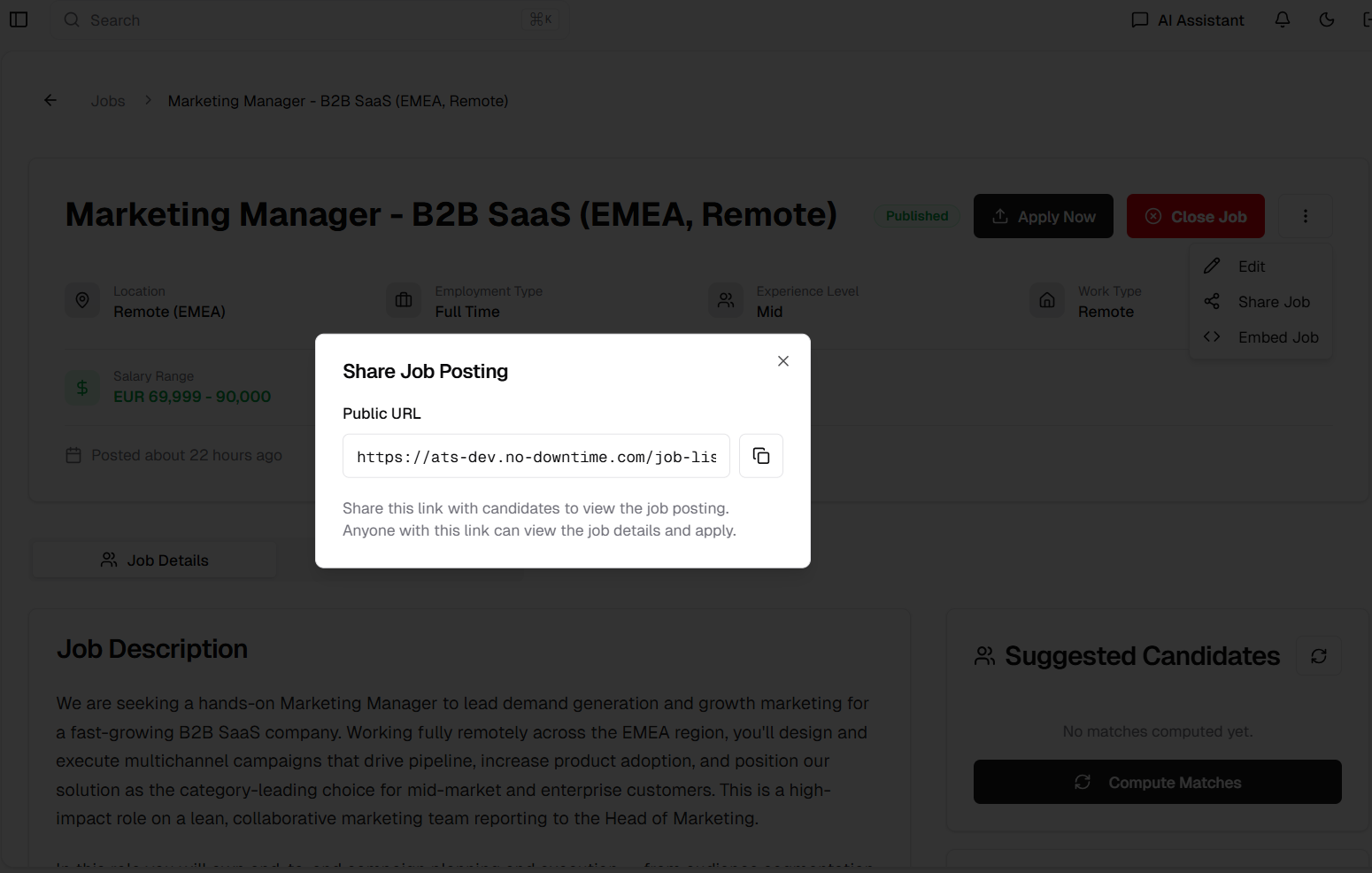
Public job sharing with shareable URL generation
Chat History
View and Search Previous Conversations
Access complete chat history on the main chat page, enabling users to view, search, and reference previous conversations with ease.
Features:
- Conversation List: View all previous chat sessions
- Search Functionality: Search through conversation history
- Quick Access: Click to open any past conversation
- Chronological Order: Conversations sorted by date
- Context Preservation: Full conversation context maintained
How It Works:
1. Navigate to the main Chat page
2. View the list of previous conversations in the sidebar
3. Use the search bar to find specific conversations
4. Click on any conversation to view its full history
5. Continue or reference past discussions
Benefits:
- Never lose important conversation context
- Quick reference to previous discussions
- Easy search for specific topics
- Improved workflow continuity
- Better knowledge retention
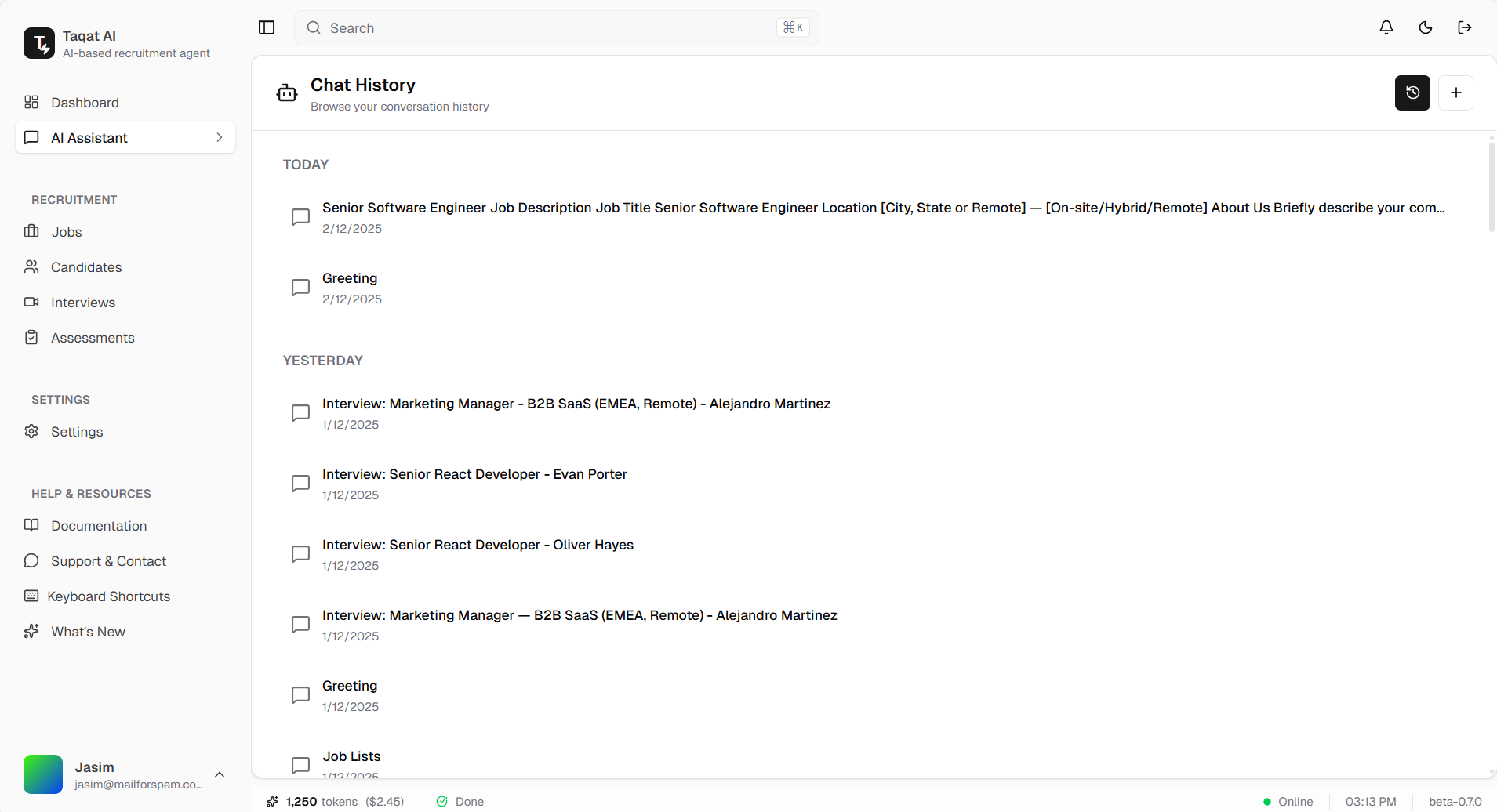
Chat history sidebar with search and conversation list
Interview Meeting Link Generation
Generate Meeting Links Directly from Interview Form
Add meeting link generation capability when scheduling interviews. The system intelligently detects platform connection status and provides appropriate options.
Features:
- Generate Button: Displayed when already connected to platform via Composio
- Connect Button: Displayed when authentication is needed
- Platform Support: Works with Google Meet, Microsoft Teams, and Zoom
- Automatic Integration: Links added directly to interview details
- One-Click Setup: Streamlined link generation process
How It Works:
1. Navigate to Schedule Interview form
2. Select your preferred meeting platform
3. If connected: Click "Generate" to create meeting URL
4. If not connected: Click "Connect" to authenticate first
5. Meeting link is automatically added to the interview
Connected User Flow:
- System detects existing Composio connection
- "Generate" button appears
- Click to instantly generate meeting URL
- Link added to interview automatically
New Connection Flow:
- "Connect" button appears
- Click to initiate platform authentication
- Complete OAuth flow with selected platform
- Return to generate meeting link
Benefits:
- No manual link creation required
- Seamless platform integration
- Automatic calendar synchronization
- Reduced scheduling friction
- Professional meeting setup
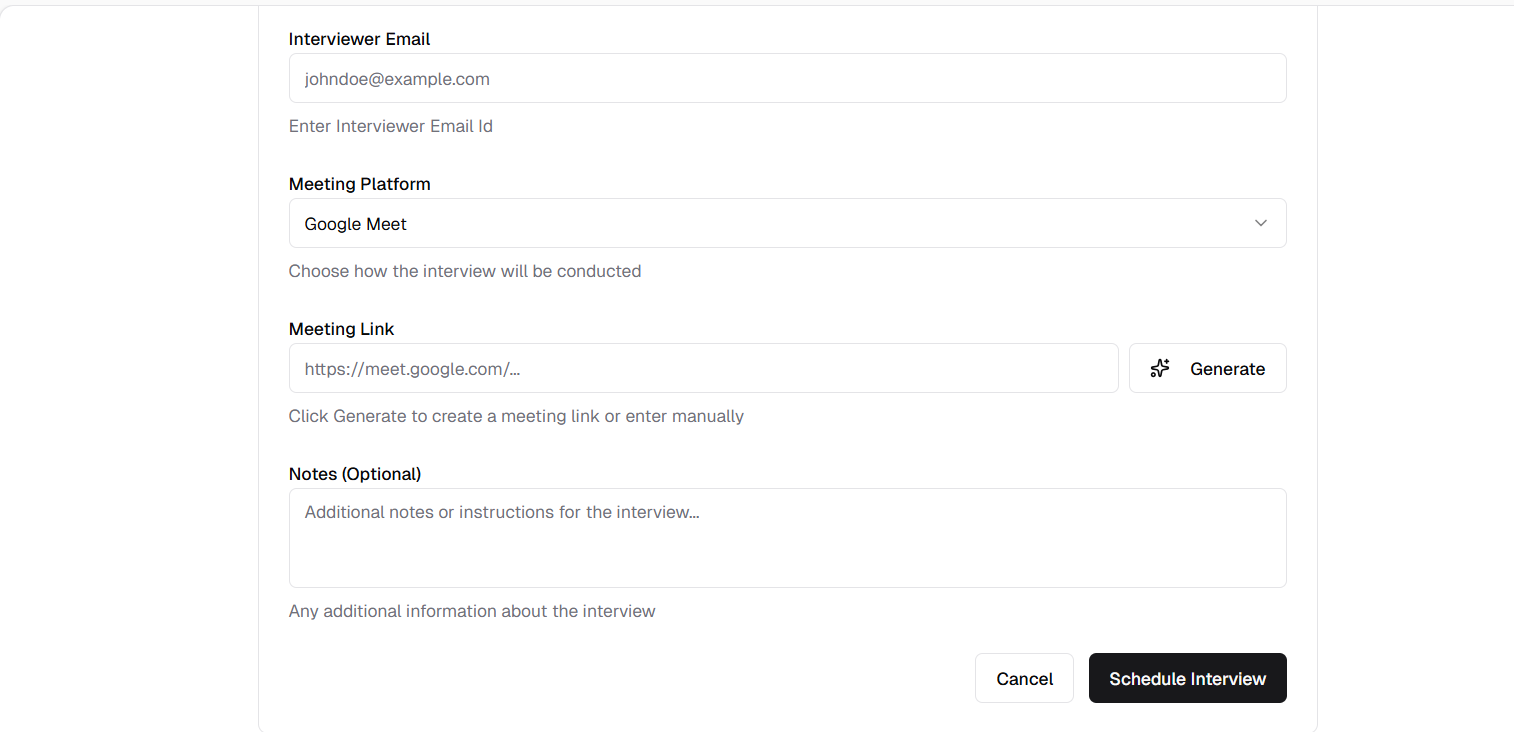
Generate Link button for connected platform users
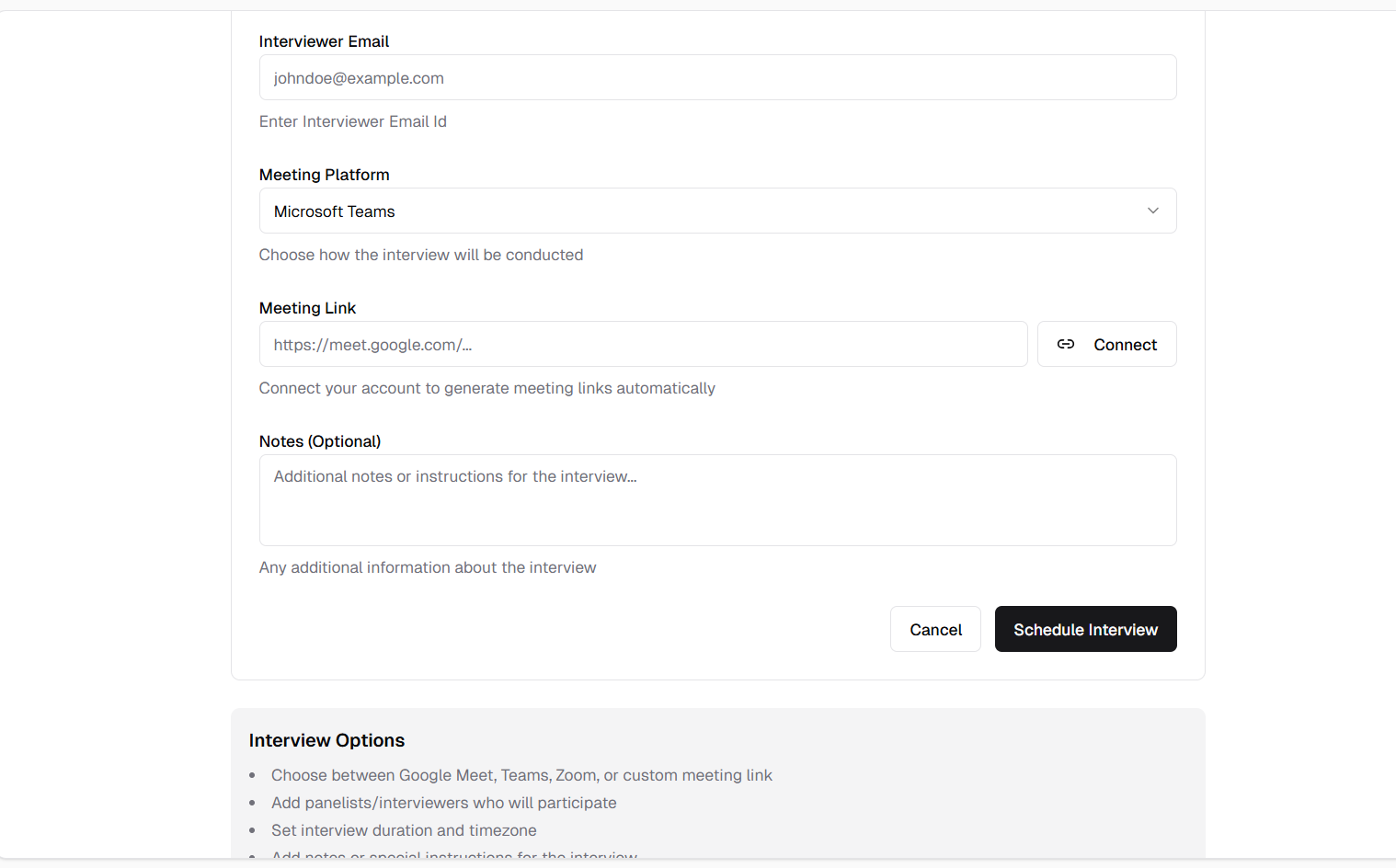
Connect & Generate button for users needing authentication
Custom Assessment Expiry
Set Custom Expiry Dates for Assessments
Allow users to set custom expiry dates for assessments instead of relying only on default expiration periods. This provides greater flexibility in managing assessment timelines.
Features:
- Preset Options: Quick selection for 1, 3, 7, or 30 days
- Custom Date Picker: Set any custom expiry date
- Default Fallback: 7 days if no selection is made
- Clear Display: Shows selected expiry clearly
- Flexible Timeline: Accommodate various assessment needs
How It Works:
1. Create an assessment
2. View the preset expiry options (1, 3, 7, 30 days)
3. Select a preset option OR choose a custom date
4. If no selection is made, default is 7 days
5. Assessment will expire on the selected date
Preset Options:
- 1 Day: Urgent assessments
- 3 Days: Short-term assessments
- 7 Days: Standard assessments (default)
- 30 Days: Extended assessments
Benefits:
- Flexible assessment management
- Accommodate different hiring timelines
- Clear deadline communication
- Reduced expired assessment issues
- Better candidate experience
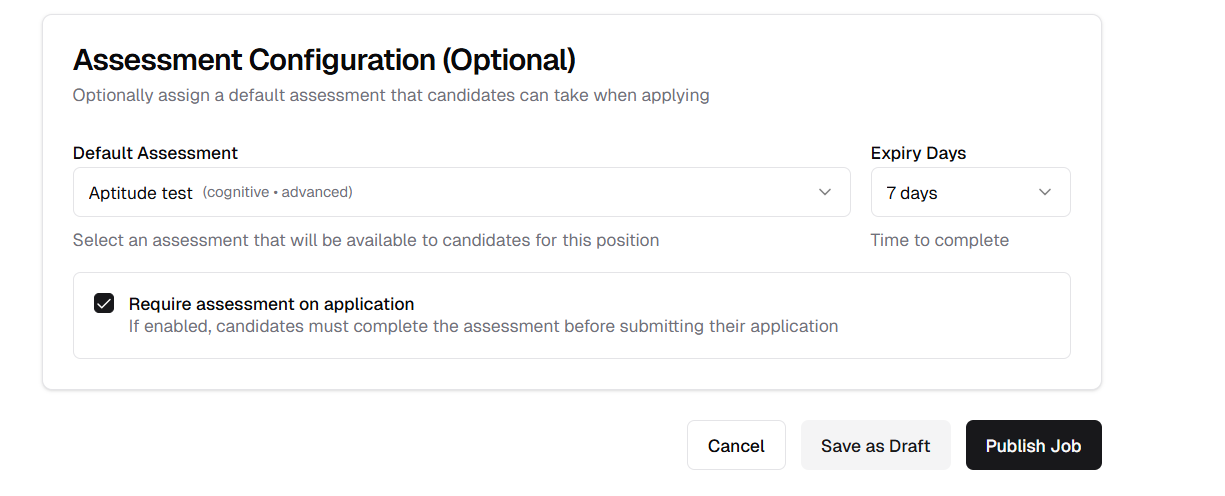
Assessment expiry selection with preset and custom options
Job Editing
Edit Jobs from List and Details Pages
Edit job postings directly from the job list actions or job details page. Access the edit option through the three-dots dropdown menu in job application and job-lists and update job information seamlessly.
Features:
- Multiple Access Points: Edit from job list or job details page
- Three-Dots Menu: Edit option in dropdown menu
- Complete Editing: Modify all job fields
- Update & Publish: Save changes with single action
- Immediate Updates: Changes reflect instantly
How It Works:
1. Navigate to Jobs List or Job Details page
2. Click the three-dots (�) dropdown menu
3. Select "Edit" from the menu options
4. Modify job details as needed
5. Click "Update & Publish" to save changes
Access Points:
- Job List: Three-dots action menu on each job row
- Job Details: Three-dots menu in the header area
Editable Fields:
- Job title and description
- Requirements and qualifications
- Location and work type
- Salary and benefits
- Application deadline
- All other job attributes
Benefits:
- Quick job modifications
- No navigation to separate edit page
- Consistent editing experience
- Immediate change publication
- Streamlined job management
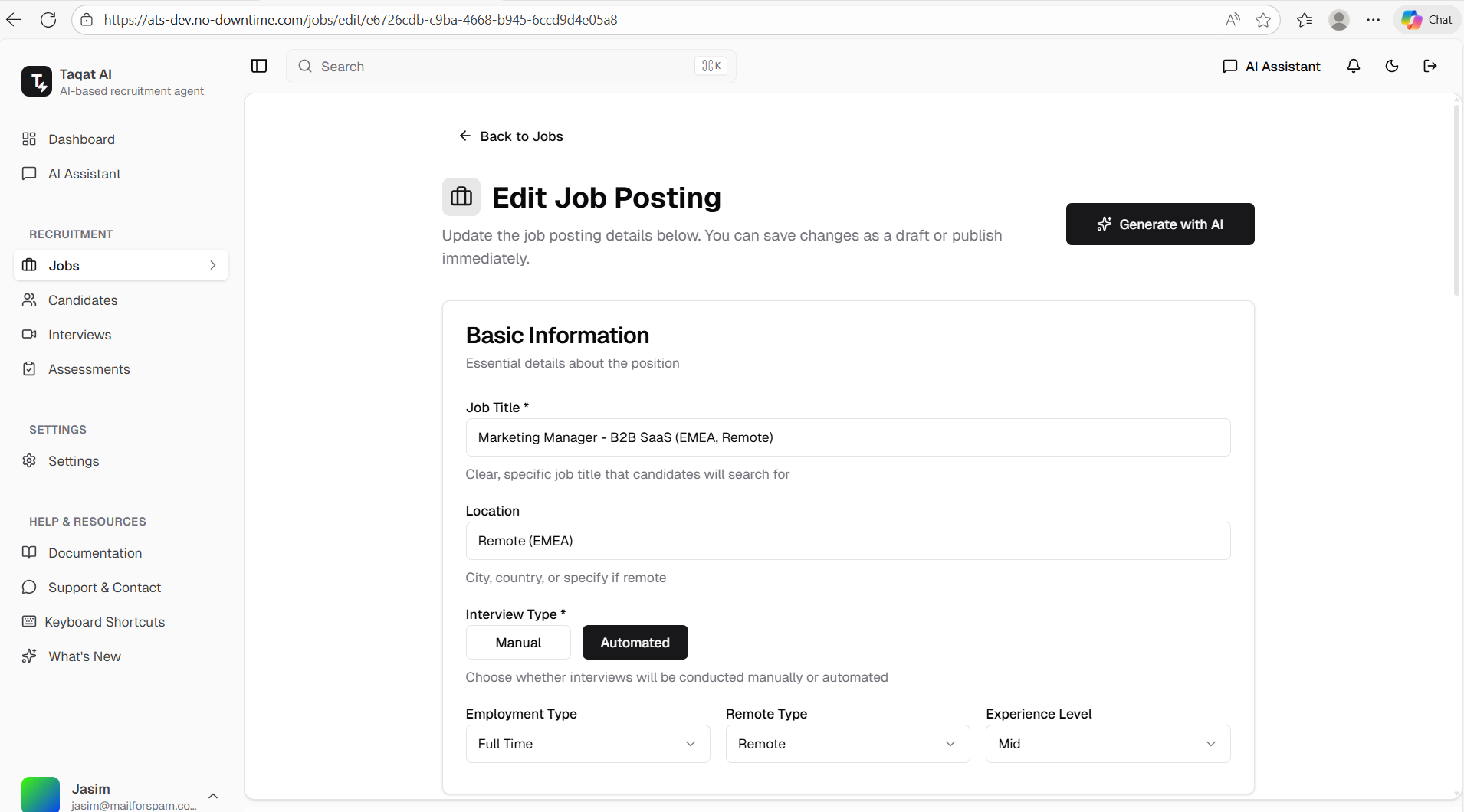
Edit option in three-dots dropdown menu on job details page
Released on December 02, 2025
View all releases