Release Notes - Beta v0.4
Summary
This release lets you create jobs and candidates more easily, manage jobs better, and handle applications smoothly. We've added AI tools to help you fill out forms and improved how job descriptions look.
What's New
- Create jobs and candidates with AI assistance or manual forms
- Close and reopen jobs to manage hiring status
- Prevent duplicate applications automatically
- Beautiful markdown rendering for job descriptions
- Improved UI with better button styling and icons
- Safer OAuth connection management
✨ What's New
📝 AI-Powered Job Creation
Smart Job Posting Creation
Create comprehensive job postings faster with AI assistance or use the manual form for full control.
Features:
- AI Generation: Describe your job requirements and let AI create a complete posting
- Manual Form: Traditional form-based job creation with all fields
- Quick Access: "Create Job" button directly from the Jobs page
- Flexible Options: Choose the method that works best for each posting
How It Works:
1. Click "Create Job" button on Jobs page
2. Choose your creation method:
- Generate with AI: Enter job description prompt and AI creates the full posting
- Manual Form: Fill out job details yourself
3. Review and edit the generated content
4. Publish your job posting
Benefits:
- Faster job posting creation
- Consistent, professional job descriptions
- Reduces manual data entry
- AI suggests appropriate requirements and benefits
- Flexibility to choose manual or AI-assisted creation
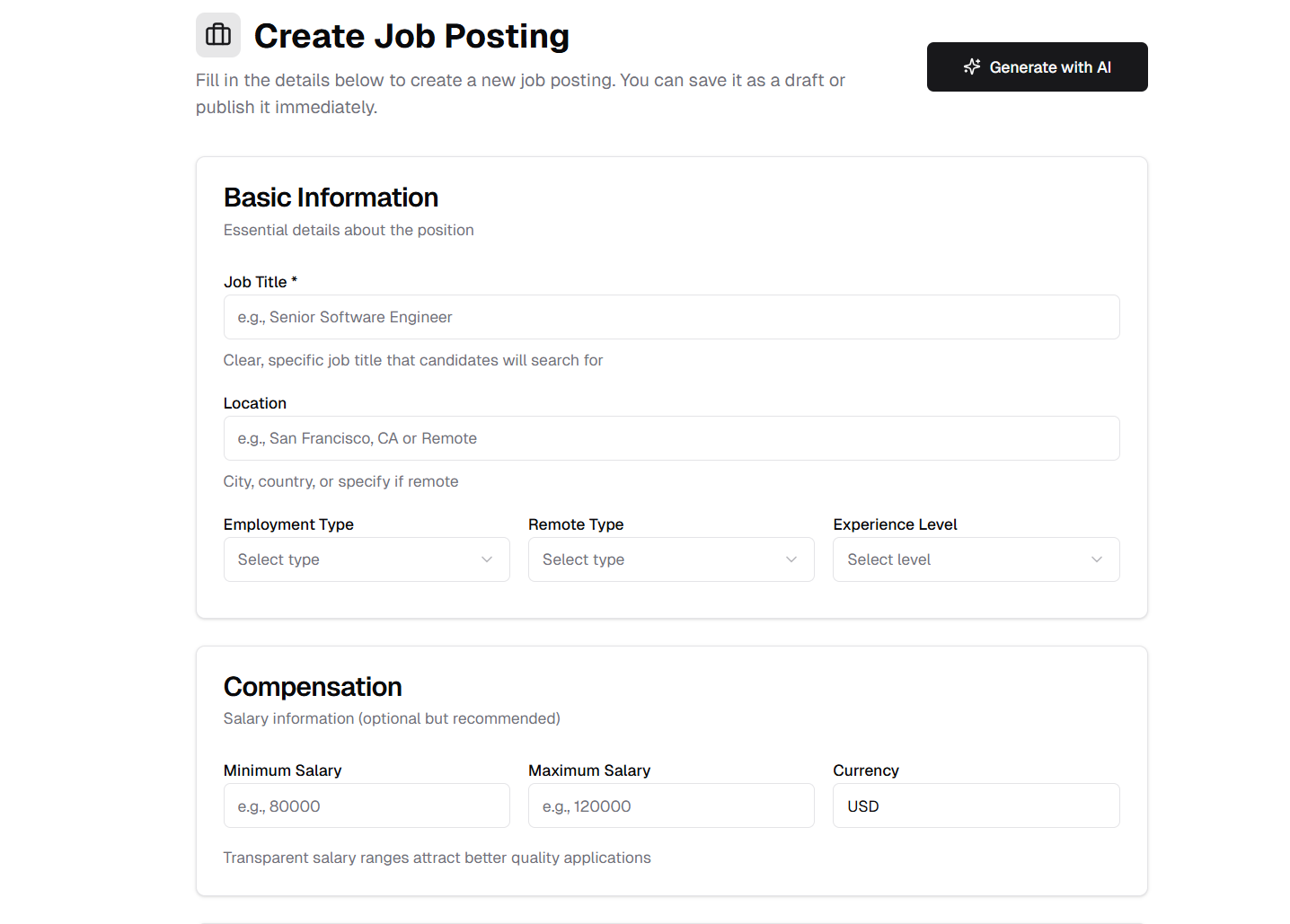
Choose between AI generation or manual form for job creation
AI Dialogue Generation:
The AI-powered job creation includes an interactive dialogue system that helps you create detailed, comprehensive job postings.
Example Dialogue:
"Senior React developer for a fintech startup in New York, hybrid work"
The AI analyzes your responses and generates a complete, professional job posting with all the details integrated naturally into the description.
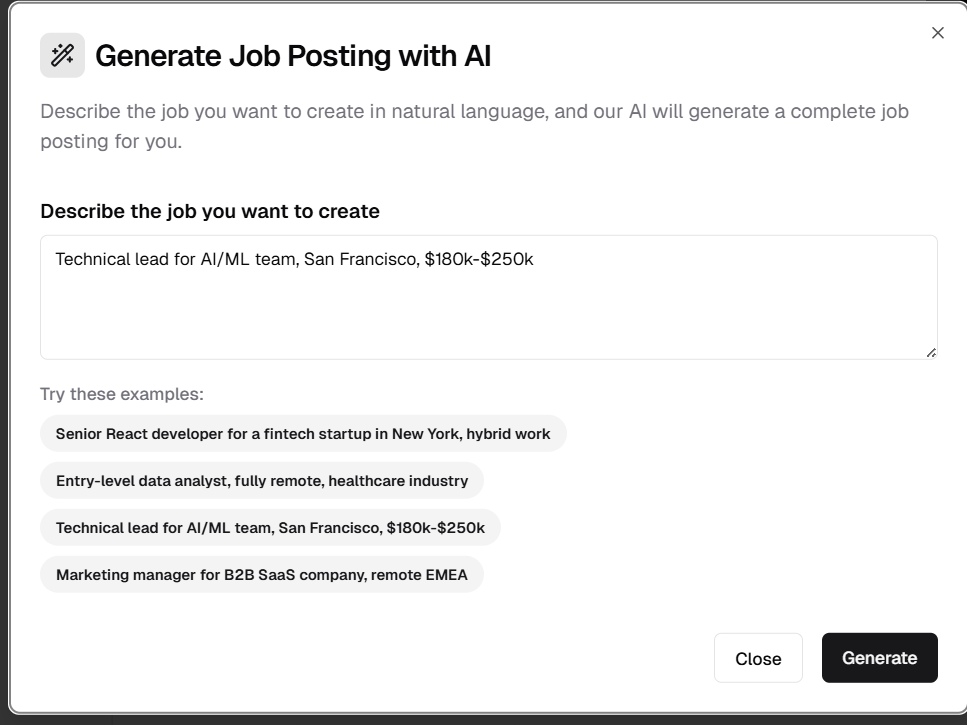
Interactive AI dialogue for job creation
👥 AI-Powered Candidate Creation
Smart Candidate Profile Management
Add candidates to your system quickly with AI-generated profiles or manual entry.
Features:
- AI Generation: Create candidate profiles from basic information
- Manual Form: Traditional form-based candidate entry
- Quick Access: "Add Candidate" button from Candidates page
- Complete Profiles: Both methods support full candidate information
How It Works:
1. Click "Add Candidate" button on Candidates page
2. Choose your input method:
- AI Generation: Provide candidate summary and AI creates complete profile
- Manual Form: Enter candidate details directly
3. Review and edit the generated profile
4. Save candidate to your database
Benefits:
- Faster candidate data entry
- Structured, complete candidate profiles
- Reduces data entry errors
- AI extracts relevant information automatically
- Flexibility for different use cases
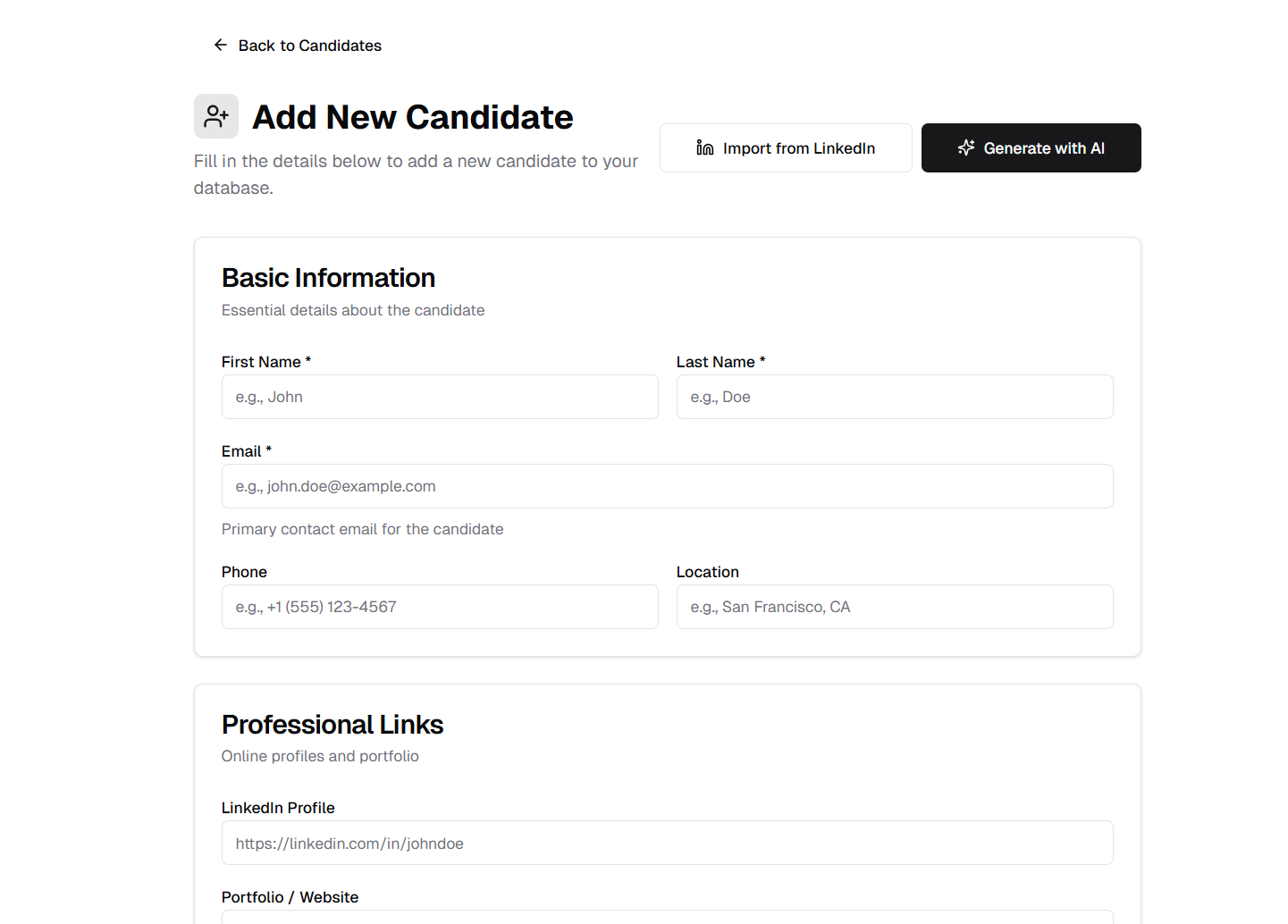
Add candidates with AI assistance or manual form entry
AI Dialogue Generation:
The AI-powered candidate creation includes an interactive dialogue system that helps you create detailed candidate profiles.
Example Dialogue:
"Software engineer, 5 years experience with React and Node.js, looking for senior roles"
The AI analyzes your responses and generates a complete candidate profile with all information structured properly.
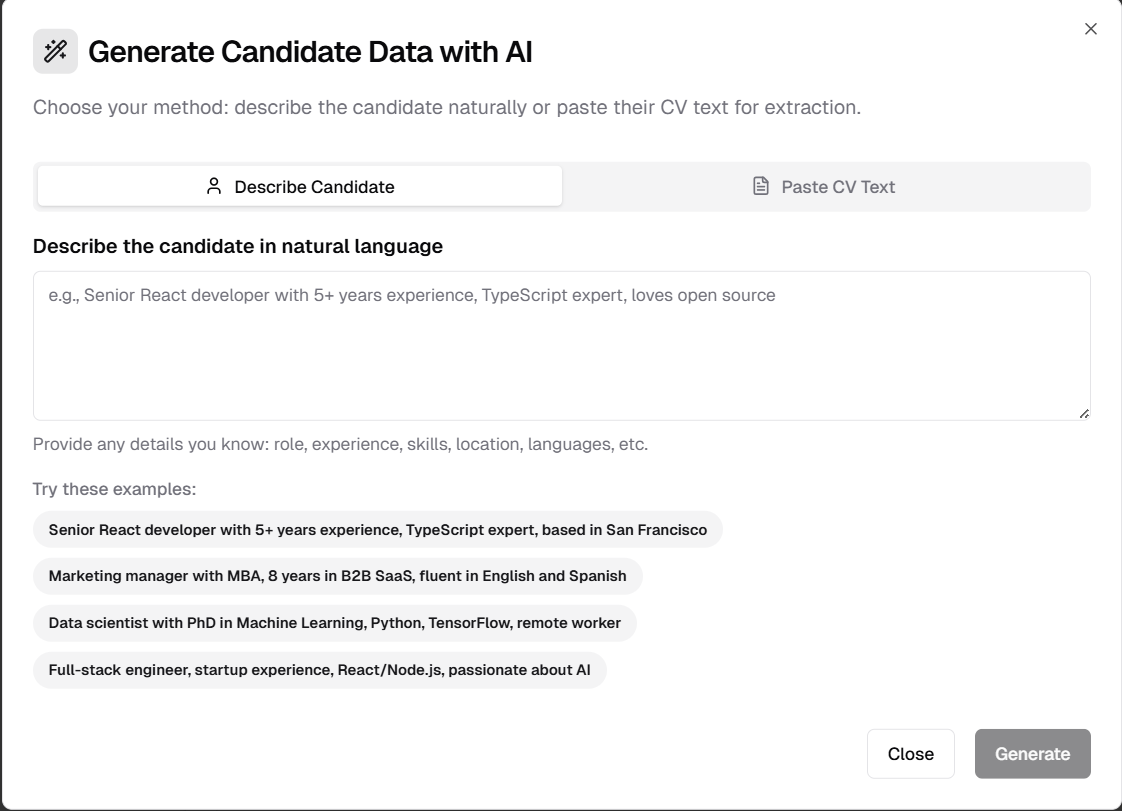
Interactive AI dialogue for candidate profile creation
🔄 Job Status Management
Close and Reopen Jobs
Manage your hiring pipeline more effectively with job status controls.
Features:
- Close Jobs: Mark positions as filled or no longer hiring
- Reopen Jobs: Restart hiring for positions that need more candidates
- Status Visibility: Clear indicators showing job status
- Application Control: Prevents applications to closed jobs
How It Works:
Closing a Job:
1. Navigate to Job Details page
2. Click "Close Job" button
3. Confirm the action
4. Job is marked as closed
5. New applications are blocked
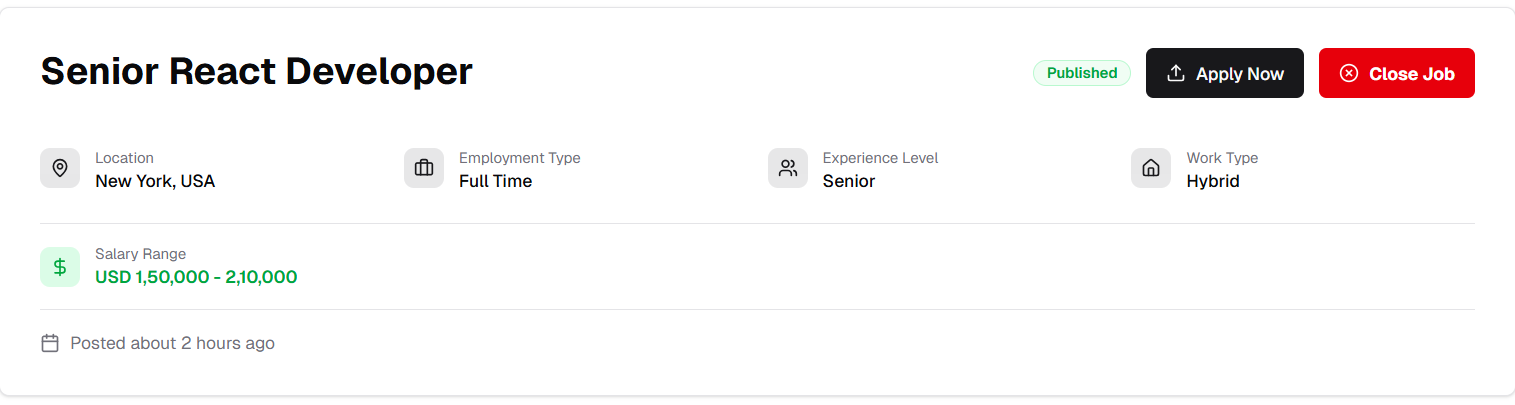
shows close job button
Reopening a Job:
1. Go to closed job's details page
2. Click "Reopen Job" button
3. Confirm the action
4. Job accepts applications again
Benefits:
- Better job pipeline management
- Prevents applications to filled positions
- Easy to restart hiring when needed
- Clear status tracking
- Improved candidate experience
🚫 Duplicate Application Prevention
Smart Application Validation
Automatically prevents candidates from applying multiple times to the same job.
Features:
- Email-Based Detection: Uses candidate email to identify duplicates
- Frontend Validation: Checks before submission
- Backend Verification: Double-checks at server level
- User Feedback: Clear messages when duplicate detected
- System Protection: Maintains database integrity
How It Works:
1. Candidate enters email on application form
2. System checks if email already applied to this job
3. If duplicate detected:
- Frontend shows warning immediately
- Prevents form submission
4. If new application:
- Backend verifies once more
- Processes application normally
Benefits:
- Prevents accidental duplicate applications
- Maintains clean application data
- Better candidate experience
- Reduces recruiter workload
- Ensures fair application tracking
📄 Enhanced Job Description Display
Markdown Rendering with Auto-Detection
Job descriptions now display beautifully with automatic formatting detection.
Features:
- Reusable Markdown Component: Consistent styling across the platform
- Auto-Detection: Recognizes plain text headings ending with colons
- Smart Formatting: Converts "Section:" to styled headers automatically
- Custom Styling: Subheadings appear bold and underlined
- Professional Display: Clean, readable job descriptions
Examples:
Input Text:
Requirements:
- 5 years experience
- Bachelor's degree
Responsibilities:
- Lead projects
- Mentor team
Displays As:
- "Requirements:" becomes a styled heading
- "Responsibilities:" becomes a styled heading
- Bullet points remain formatted
- Subheadings are bold and underlined
Benefits:
- No special formatting knowledge needed
- Automatic professional display
- Consistent job description appearance
- Better readability for candidates
- Natural writing style supported
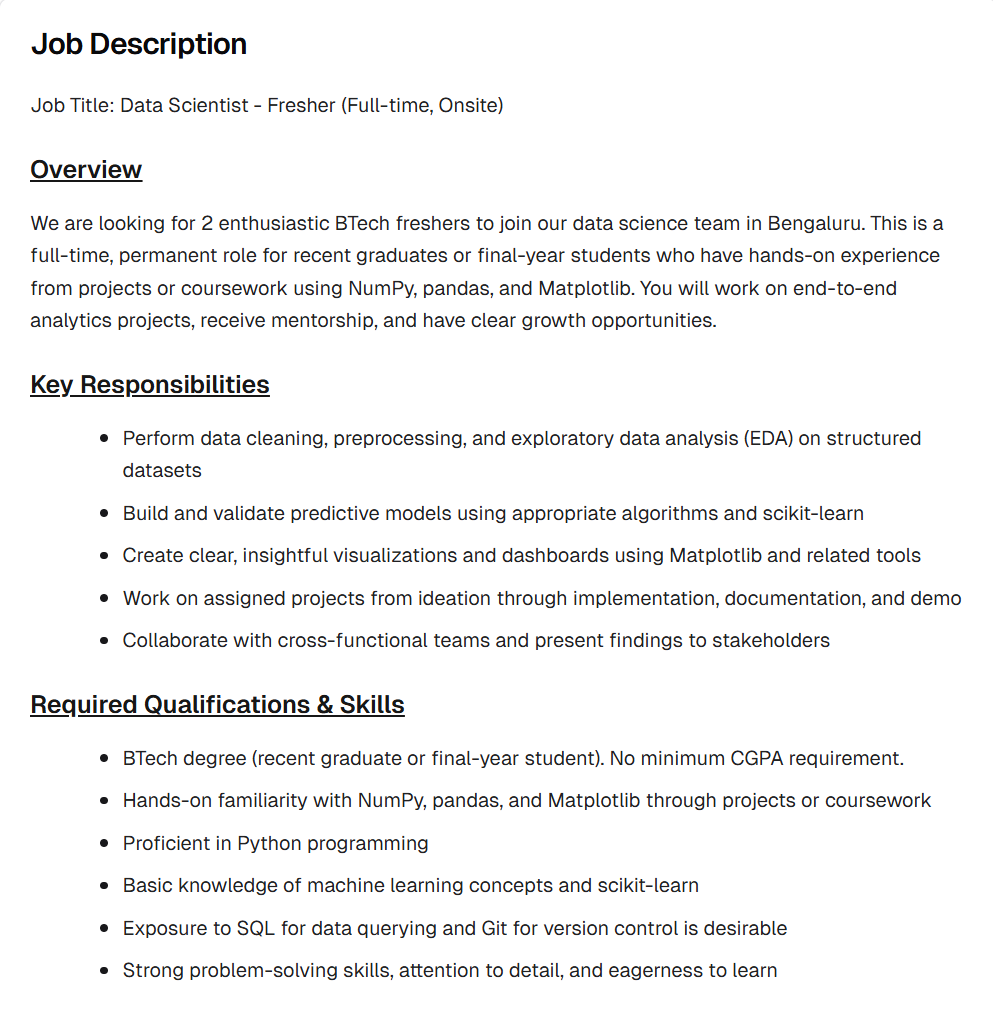
Job descriptions with automatic markdown rendering and heading detection
🎨 UI/UX Improvements
Enhanced View Job Button
Improved visual design and usability for job viewing action.
Improvements:
- Eye Icon Added: Clear visual indicator for viewing
- Better Alignment: Fixed vertical alignment with other buttons
- Outlined Style: Added button outline for better visibility
- Consistent Design: Matches platform design language
Visual Changes:
- Before: Plain "View" text button
- After: Eye icon with "View Job" text, outlined border

Enhanced View Job button with icon and better styling
🔐 OAuth Connection Management
Prevent Multiple Connection Attempts
Improved connection handling for integrated services.
Features:
- Connection Status Tracking: System monitors active connections
- Disabled Connected Button: Can't reconnect already connected services
- Visual Feedback: Clear indication of connection status
- Prevent Conflicts: Blocks duplicate connection attempts
- Safer Integration: Reduces OAuth errors
How It Works:
1. User connects to service (Google Meet, Teams, etc.)
2. Connection button becomes disabled
3. Status shows "Connected"
4. Prevents accidental reconnection attempts
5. Must disconnect first to reconnect
Benefits:
- Prevents OAuth conflicts
- Clearer connection status
- Reduces integration errors
- Better user experience
- Safer connection management
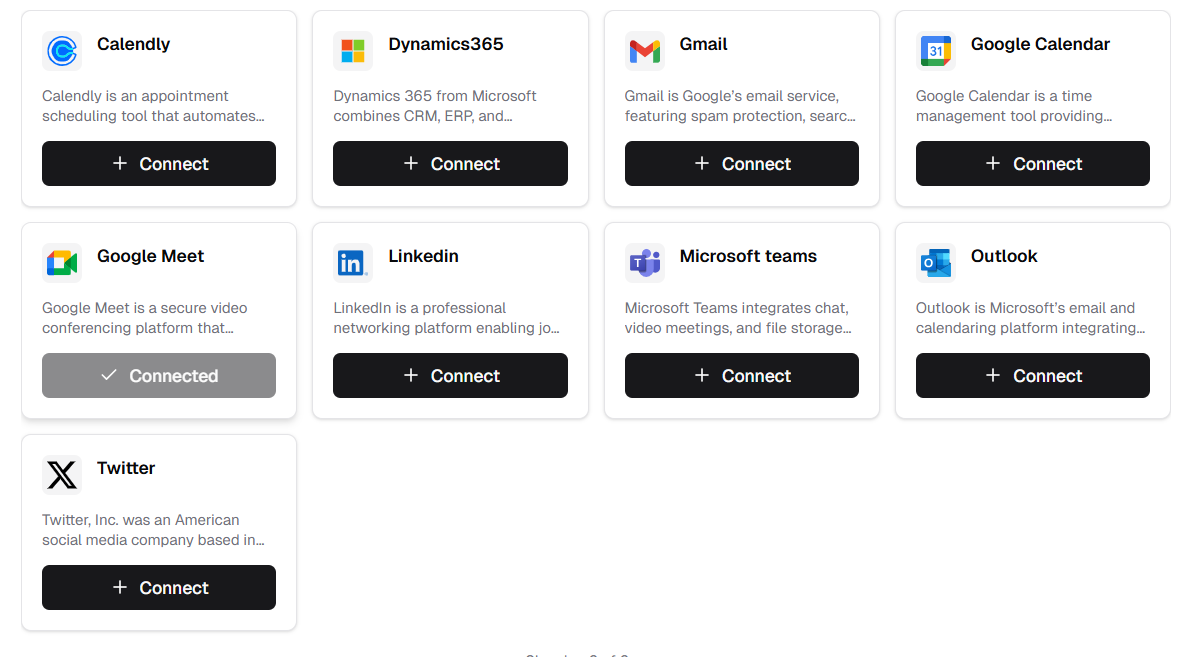
Connected services show disabled button to prevent duplicate connections
Released on October 28, 2025
View all releases